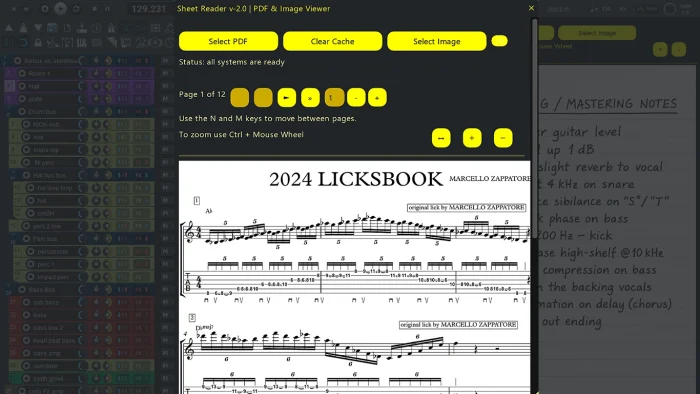
Sheet Reader is a REAPER PDF sheet reader script that displays PDF and image files directly inside the DAW.
It keeps sheet music, scores, and reference material visible at all times, eliminating the need to switch between REAPER and external applications.
Sheet Reader is free to download and designed for Windows-based REAPER workflows.
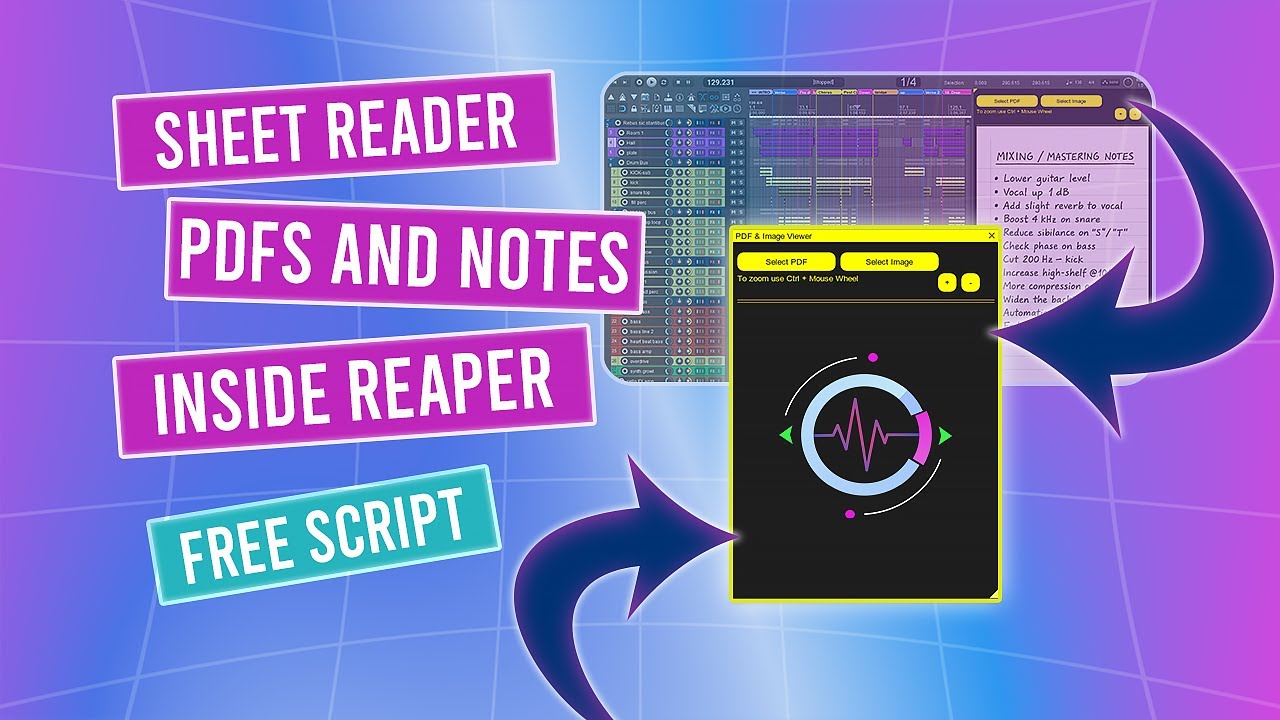
This video demonstrates Sheet Reader version 1.0.
Version 2.0 introduces major internal improvements, a cache manager, faster loading, and enhanced stability.
A short preview of version 2.0 is available on the Floop’s REAPER Scripts YouTube channel.
If you have questions, issues, or suggestions, YouTube comments are currently the easiest way for me to collect feedback and improve the script over time.
What’s New in Version 2.0
Version 2.0 introduces a major internal and usability update, improving performance, stability, and cache handling
- Cache Manager is always accessible from the main toolbar
- Per-PDF cache folders (pdf_images//)
- Cache status detection: Complete / Incomplete / Empty
- Faster loading when the cache is already complete
- Safe cache deletion (files and folders)
- Progress bar with page-by-page feedback during conversion
- Robust Poppler download with SHA256 integrity check
- Clear UI messages for download, install, and error states
- Improved Windows path handling and image loading stability
- Updated keyboard navigation (M / N for page navigation)
REAPER PDF Sheet Reader Features
- View PDF files directly inside REAPER
- View image files (PNG, JPG, JPEG)
- Zoom via buttons or Ctrl + Mouse Wheel
- Dockable ImGui window
- Optional automatic Poppler installation
- Minimal, distraction-free interface
System Requirements (Windows Only)
Sheet Reader is a Windows-only REAPER script.
Sheet Reader is currently available for Windows only.
It relies on PowerShell and Windows Script Host for PDF conversion and dependency management. macOS and Linux are not supported.
- REAPER v7.5x or later.
- ReaImGui (minimum version 0.10.2+).
- SWS/S&M Extension.
The script uses Poppler to convert PDF pages into images and displays them in a simple, dockable ImGui-based viewer.
How to Install Sheet Reader in REAPER
The recommended way to install and keep Sheet Reader updated is via ReaPack.
- Open REAPER
- Go to Extensions → ReaPack → Import Repositories.
- Add the Floop repository
- Open Extensions → ReaPack → Browse Packages
- Search for “Floop Sheet Reader”
- Install and Apply
- (Optional) Assign a shortcut or toolbar button
Advanced users can manually install the script from the GitHub Release page.
When first run, the script checks for Poppler and will guide you through automatic installation if needed.
Who Is Sheet Reader For?
Sheet Reader is designed for:
- Musicians and producers working with sheet music or scores
- Educators and students using REAPER for study or practice
- Sound designers who need visual reference material while working
Note: For storing notes, mix references, or project annotations directly inside REAPER, see Floop Scratchpad.
FAQ
Does Sheet Reader consume a lot of RAM?
Sheet Reader converts PDF pages into images on first load, which may take some time for very large documents.
From version 2.0 onward, converted pages are cached, making subsequent openings significantly faster, even for large PDFs.
Can I use Sheet Reader to display reference images or non-musical material?
Yes. Sheet Reader supports common image formats and can be used to display any visual reference material you need during a session.
Does Sheet Reader work on macOS or Linux?
No. Sheet Reader is developed exclusively for Windows.
It relies on Windows-specific tools such as PowerShell and Windows Script Host, which are not available on macOS or Linux.
Is Sheet Reader safe to use inside REAPER projects?
Yes. The script only handles file conversion and image display.
It does not affect audio, automation, or signal processing in any way.
The project is hosted on GitHub, where the source code and manual installation files are maintained.