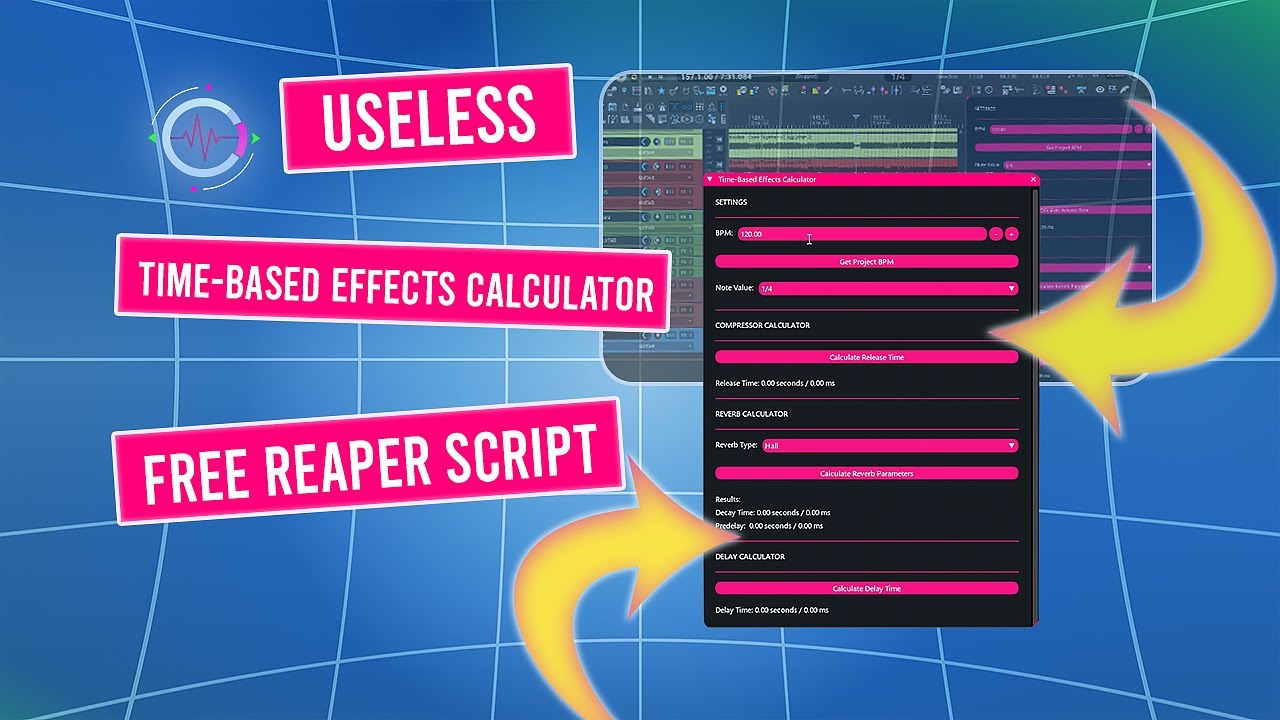
Useless Time-Based Effects Calculator is a REAPER script that provides fast, BPM-based timing calculations for common time-dependent effects.
It helps you convert musical note values into precise milliseconds and seconds for compressor release, reverb predelay and decay, and delay times, directly inside REAPER.
The tool focuses on speed, clarity, and practical mixing decisions, without requiring external calculators or manual formulas.
What Is Useless Time-Based Effects Calculator?
Useless Time-Based Effects Calculator is a REAPER BPM effects calculator designed to simplify tempo-accurate effect settings during mixing and sound design.
Instead of guessing or doing math, you select a BPM and a note value and immediately get usable timing values for common processors.
The script can read REAPER’s current project BPM or work with manually entered values, making it suitable for both tempo-locked and free-tempo projects.
If you have questions, issues, or suggestions, YouTube comments are currently the easiest way for me to collect feedback and improve the script over time.
Key Features of the REAPER BPM Effects Calculator
BPM-Based Timing Calculation
Sync calculations to the current REAPER project BPM or enter a custom tempo manually.
Musical Note Support
Calculate timings using:
- standard note values
- dotted notes
- triplet values
Effect-Specific Timing
Use the results for:
- Compressor release (musically related values)
- Reverb predelay and decay
- Delay time synchronization
Clear Output Units
Results are displayed in both:
- milliseconds
- seconds
Lightweight ReaImGui Interface
Clean, zoomable interface built with ReaImGui, designed for fast reading and minimal distraction.
Typical Use Cases in REAPER
- Setting tempo-aligned delay times without external tools
- Choosing musically coherent compressor release values
- Matching reverb predelay and decay to the groove of the project
- Sound design workflows where rhythmic precision matters
Why Use a BPM Effects Calculator in REAPER?
Time-based effects often sound more natural when they relate directly to tempo.
Useless Time-Based Effects Calculator helps you:
- Avoid trial-and-error timing
- Maintain rhythmic coherence
- Speed up mixing decisions
- Stay focused inside REAPER
Requirements
- REAPER v7.5x or later
- ReaImGui (ReaScript binding for Dear ImGui, minimum 0.10.2+)
Tested on Windows 10 / 11.
Designed with cross-platform compatibility in mind.
Installation via ReaPack
The recommended installation method is ReaPack.
- Open REAPER
- Go to Extensions → ReaPack → Import Repositories
- Add the Floop repository
- Open Extensions → ReaPack → Browse Packages
- Search for Useless Time-Based Effects Calculator
- Install and Apply
You can optionally assign a keyboard shortcut or toolbar button.
Advanced users can manually install the script from the GitHub release page.
REAPER BPM Effects Calculator – Frequently Asked Questions
Is Useless Time-Based Effects Calculator an audio effect?
No. It is a calculation and reference tool. It does not process or modify audio.
Does it change my project settings?
No. The script only reads or uses BPM values to calculate timing information.
Can it sync to the current REAPER project BPM?
Yes. You can fetch the active project BPM with one click or enter a custom value manually.
Which effects can I use these values for?
The calculated values work well for:
- compressor release
- delay time
- reverb predelay and decay
They can also be adapted to other time-based processors.
Does it support dotted and triplet values?
Yes. Standard, dotted, and triplet note values are fully supported.
Does it work on macOS and Linux?
It should.
The script uses standard Lua and ReaImGui APIs supported by REAPER on Windows, macOS, and Linux.
Development and testing have focused primarily on Windows.
The project is hosted on GitHub, where the source code and manual installation files are maintained.