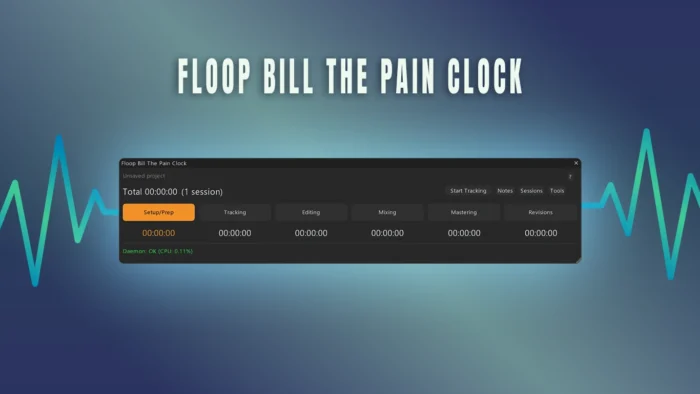
Floop Bill The Pain Clock is a REAPER time tracking utility that monitors time spent on individual project files for billing and management purposes. The script runs as a persistent background process, decoupling the tracking engine from the graphical user interface. This design choice ensures uninterrupted data gathering even when the visual components are closed by the user.
Key Features – REAPER Time Tracking
- Persistent Background Daemon: Time tracking executes via a low-overhead background script. Closing the ReaImGui interface does not interrupt or reset active project timers.
- Opt-In Project Monitoring: Tracking does not default to an active state upon opening a project. Users must explicitly initiate tracking per project file via the user interface.
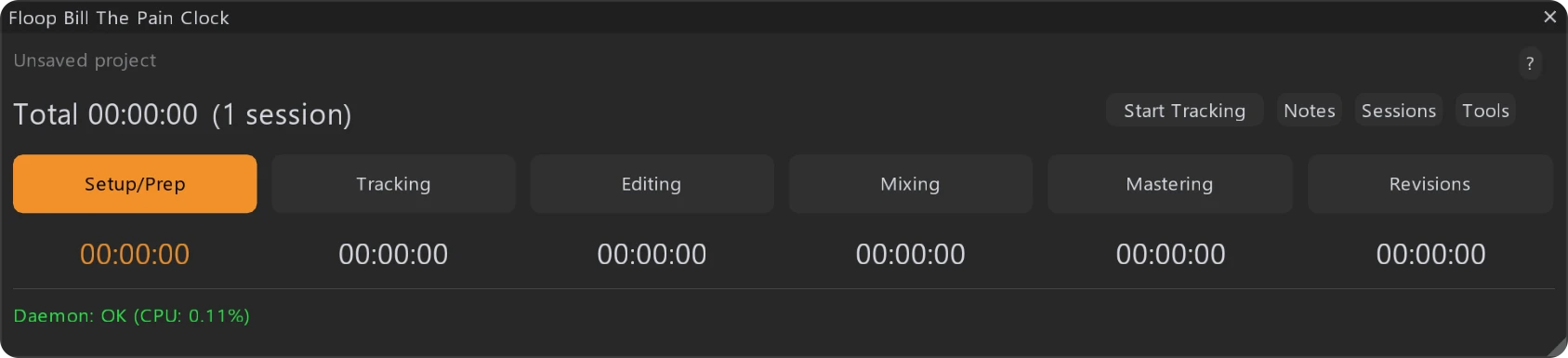
- Six-Phase Task Categorization: Allocates accumulated project time across distinct production stages. The script divides tracking time into specific structural phases to log exact technical tasks:
- Setup/Prep : File organization, track routing, template loading, and session preparation.
- Tracking : Active audio capture, MIDI performance recording, and live takes.
- Editing : Audio comping, phase alignment, time correction, and tuning.
- Mixing: Gain staging, frequency balancing, dynamic processing, and automation.
- Mastering: Final bus processing, loudness normalization, and delivery exporting.
- Revisions: Processing specific client feedback modifications post-delivery.
- Automated Idle Detection: Suspends the clock automatically after 5 minutes of total user inactivity, specifically tracking the absence of mouse and keyboard inputs. The countdown overrides the idle state if REAPER is actively in playback or recording modes.
- Chronological Session Logging: Segments project time into distinct sessions whenever you close, reopen, or resume a project after an extended break. Supports post-session text annotations for granular record-keeping.
- Data Export: Generates standardized CSV billing reports containing grand totals, individual phase breakdowns, and chronological session logs.
- Global Keybindings: Supports user-defined keyboard shortcuts to switch between tracking phases or execute a global pause state across all active project files.
Technical Implementation
The script relies on a completely decoupled architecture comprising a background daemon and a ReaImGui front-end instance. The daemon initializes on REAPER startup, operating as a global project state monitor. It leverages the native REAPER API to intercept transport changes and query user input activity status.
To manage state across multiple open projects, the daemon monitors the active project tab context. The daemon serializes time states directly into project file metadata using ExtState APIs to prevent data loss across sessions. The idle detection loop continuously polls the operating system input state; if the loop detects no input delta for 300 seconds, it suspends timer increments. The engine conditionally bypasses this suspension when it returns flags indicating active playback or recording.
Data export operations serialize structured Lua tables into comma-separated values (CSV). The file handling relies on js_ReaScriptAPI to open a native operating system save file dialog without blocking the main REAPER thread execution loop.
Compatibility
- Host: REAPER v7.5 or higher
- Operating Systems: Windows 10/11, macOS (Intel/Apple Silicon), Linux.
- Interface: Fully compliant with high-DPI displays and multi-monitor setups via ReaImGui
Requirements
Running this script requires installing the following packages via the ReaPack package manager:
- REAPER v7.5+
- ReaImGui (v0.10.2 or higher)
- js_ReaScriptAPI (Required for native CSV export file dialogues)
How to Install Floop Bill The Pain Clock in REAPER
Installation via ReaPack (Recommended)
- Open REAPER
- Go to Extensions → ReaPack → Import Repositories
- Add the Floop repository
- Open Extensions → ReaPack → Browse Packages
- Search for Floop Studio Trainer
- Install and Apply
Optionally assign a keyboard shortcut or toolbar button.
Advanced users can manually install the script from the GitHub release page.
FAQ about REAPER Time Tracking Script -Floop Bill The Pain Clock
Q: Does the script track audio or MIDI data to calculate time?
A: No. Tracking is strictly based on explicit manual activation, user input monitoring (mouse/keyboard), and transport playback or recording states.
Q: Is the time tracking destructive to the project file?
A: No. The script reads and writes metadata using standard REAPER extension states. It does not alter audio files, MIDI items, or track structures.
Q: What happens if I open multiple projects simultaneously?
A: The background daemon tracks time independently for each open project tab based on individual opt-in states. Shortcuts can trigger a global pause across all open tabs.
Q: Can I customize the 5-minute idle detection threshold?
A: The default idle threshold is hardcoded to 5 minutes to balance detection accuracy and CPU polling overhead. Phase switches and explicit pausing remain fully manual.
The project is hosted on GitHub, where the source code and manual installation files are maintained.